
Service
Modernising software: replacing legacy systems, keeping Laravel current
Software does not get worse. Its surroundings move on. At some point the security updates stop, and from then on somebody else has set your deadline.
What modernising software actually means
The word sounds bigger than the work usually is. In the vast majority of cases it is not about reinventing an application but about getting it back into a state where it can be looked after. There are four layers to tell apart, and they depend on each other:
- The framework version. Lifting Laravel itself onto a release that still gets fixes. The most visible part, and rarely the most laborious.
- The PHP version underneath. Frequently the real bottleneck. An old PHP version blocks newer packages, and the host sets a deadline sooner or later.
- The dependencies. Third-party packages nobody has maintained for years have to be replaced or adopted. That decision is made one by one, not wholesale.
- The surroundings. Server, database, deployment. Migrate only the application and leave the surroundings standing, and you have merely postponed the date.
When somebody asks whether we can migrate their software, they usually mean one of these layers and do not yet know which. Working that out is the first step, and it costs less than most people expect.
The point where it gets urgent
As long as an application runs, you cannot see its age. It shows up elsewhere. A package can no longer be updated because it wants a newer PHP version. The host announces that an old PHP version is being switched off. A security advisory affects a dependency for which there is no fix in your version.
All three have one thing in common. They arrive with a deadline somebody else has set. Which is why an upgrade is better planned than caught up with.
How we go about it
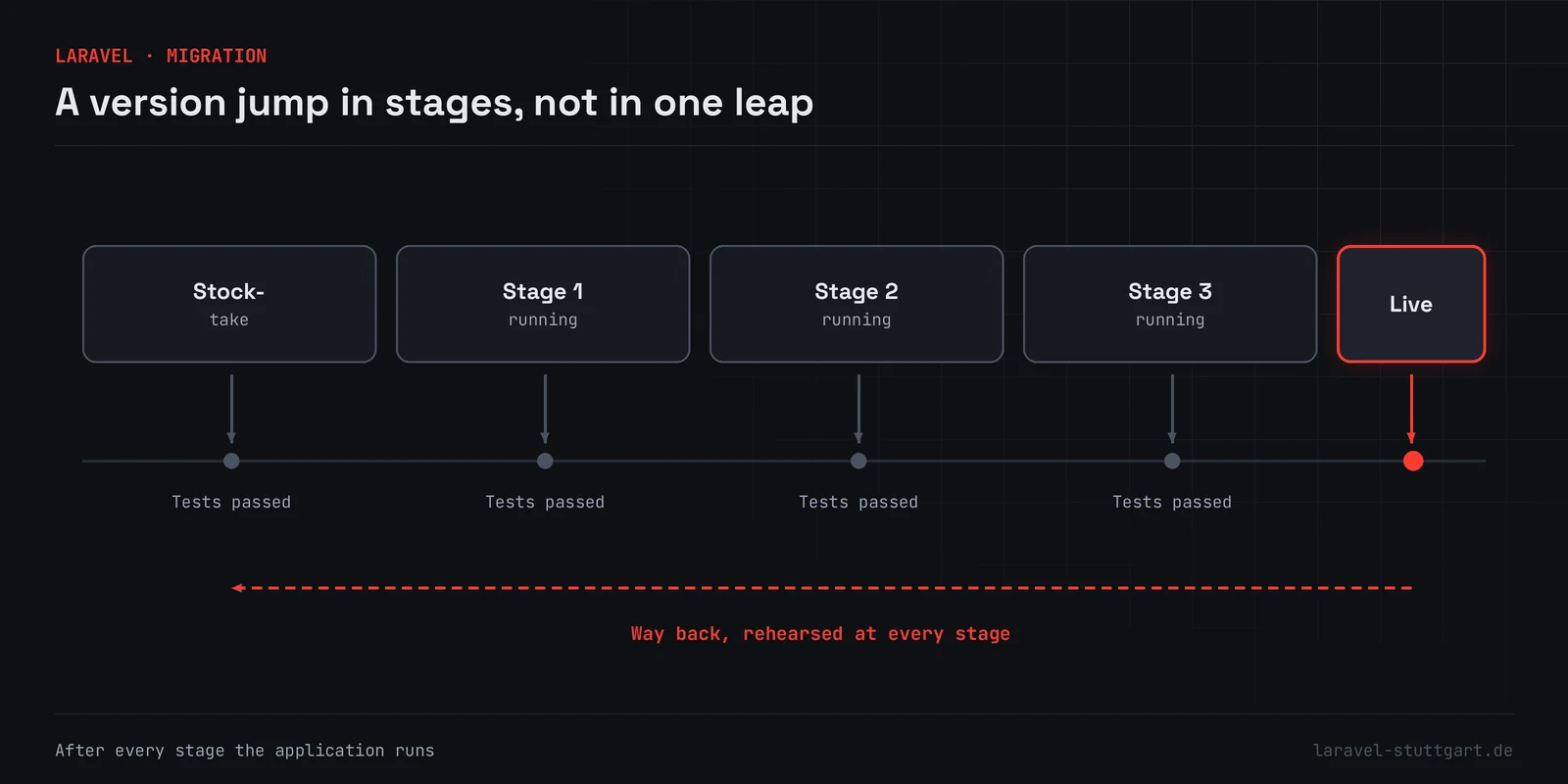
The stocktake comes first. Installed version, dependencies, test coverage, the places where somebody solved things their own way. Out of that comes a plan with an order in which every stage has a use of its own and the application runs afterwards.
Nobody jumps several major versions in one move. After each stage we test, automatically where tests exist and by hand where they do not. If an application reaches us with no tests at all, we first build a safety net around the places where a mistake really hurts. Anything else would be flying blind.
Replacing legacy systems
A grown application without a framework is seldom replaced in one big switch-over. A front piece is more dependable. Requests go to the new application first, which at the beginning passes almost everything through to the old one. Then we take over area by area, until nothing is passed through any more.
On paper that takes longer than a rebuild. In exchange there is no single day on which everything has to work at once. Anyone who has lived through a day like that understands immediately why we avoid it.
In detail
Routes we take
Stocktake
Which version is running, which dependencies are stuck, where has somebody been creative. Without that picture every estimate is a guess.
The version jump
Lifting Laravel onto a maintained version stage by stage. Between stages the application runs.
Bringing PHP along
Often the bottleneck is not the framework at all but the PHP version under it. The two hang together and get planned together.
Replacing legacy systems
You do not replace a grown application without a framework in one go. We divert area by area until nothing of the old one is left.
Moving the data
Repeatable transfer scripts instead of handwork. That way the move can be rehearsed before it counts.
The way back
Every stage has a way back. A switch-over without a fallback is a bet. Bets do not belong in production.
More services
You may also need
Laravel development
Custom applications, from the first workshop to day-to-day operation.
APIs & backend development
Stateless REST and JSON APIs behind web front ends, apps and other systems.
Maintenance & support
Updates, monitoring and a named contact for applications already running.
Emergency & urgent help
Urgent help when an application is down, has been broken into, or stopped working after an update.
Consulting & code audit
A second opinion on architecture, code quality and security.
FAQ
Questions about migration
Our application runs on an old Laravel version. How bad is that?
Does the application have to stand still for it?
Is an upgrade worth it, or should we rebuild?
We want to move from a CMS to an application of our own. Can that happen in steps?
Not sure what state your application is in?
We will look at it and tell you what presses and what can wait. The result is a list with an order to it, not a sales document.